
SVD Upscaling and Face Restoration (Good for Medium Wide Shots)
4.5
8 reviews
Description
I tried to push SVD to its maximum potential, in hopes to create content that is suitable for stock footage or product visualization. I am personally very impressed with the results.
🎥 Demo video to showcase quality:
- https://www.youtube.com/watch?v=dKcpd6lqISs
- More examples may be added later if I am able to edit this post.
Use everywhere nodes: https://github.com/chrisgoringe/cg-use-everywhere
What this workflow does
- Control SVD output to some degree.
- Upscale your SVD output
- Restore the face of original image to some degree, especially with images where the face is smaller (SVD struggles with this).
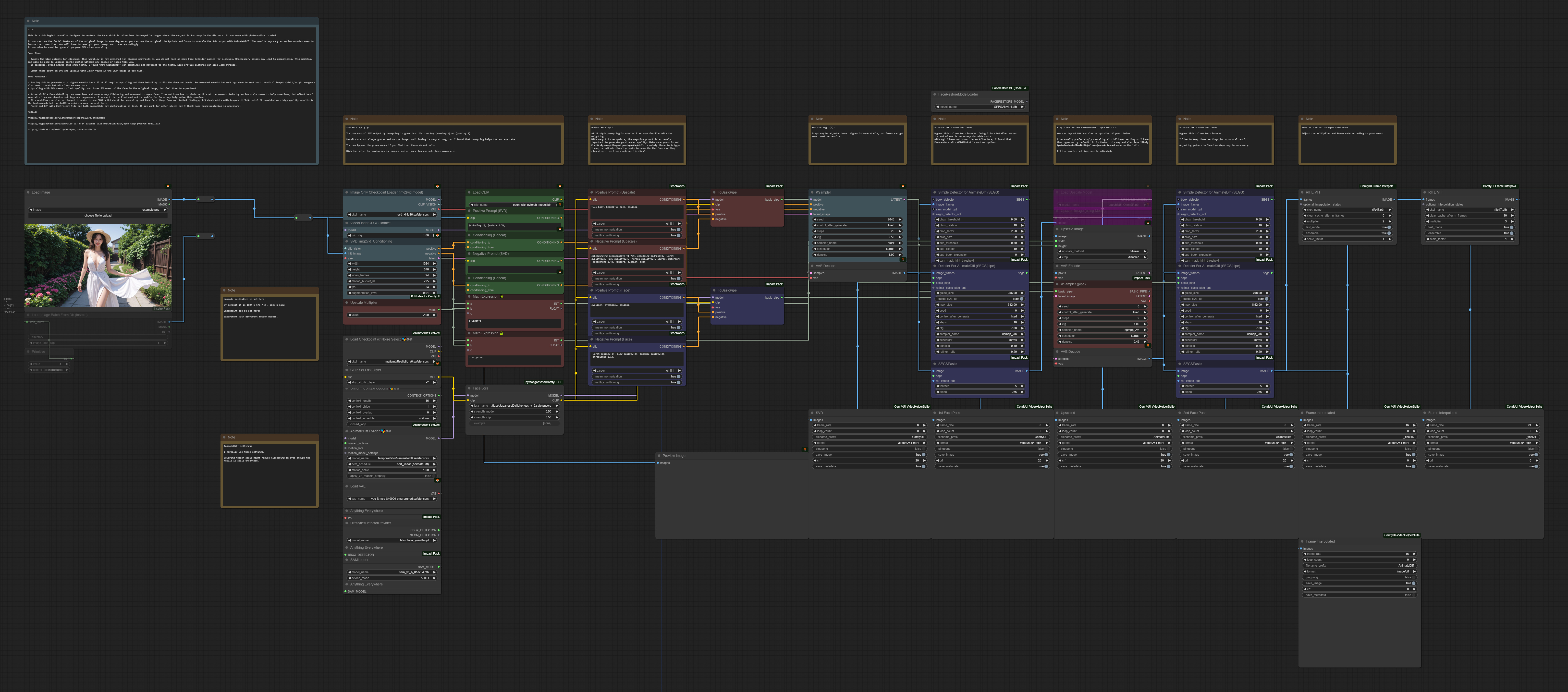
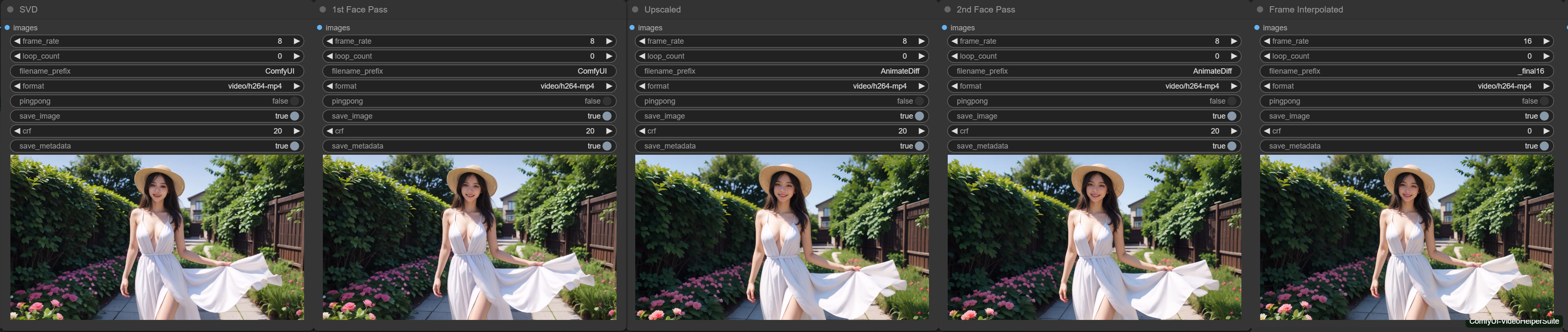
SVD -> Face Detailer with AnimateDiff -> Upscale with AnimateDiff -> Face Detailer with AnimateDiff -> Frame Interpolation.
How to use this workflow
- Drag and drop an image or set up a folder with your images.
- Adjust the prompt according to your needs. There are notes inside the workflow to show which parameters you may want to change or bypass.
- Generate! (Note that this workflow is heavy and may need a strong GPU).
Tips about this workflow
- If the image was created in SD 1.5, this workflow can restore the facial features of the original image to some degree as you can use the original checkpoints and loras to upscale the SVD output with AnimateDiff. The results may vary as motion modules seem to impose their own bias. You will have to reweight your prompt and loras accordingly.
- Sometimes the facial features seem to flicker and move in strange ways. I believe this is mainly due to the motion module and possibly the vae encoding/decoding. Perhaps in the future, there will be a third party software or a motion model trained on faces that can reduce the jitteriness. I have tried faceswap, but the I found the results unnatural and low in quality.
- For now the only solutions I have is to either regenerate with a different motion scale, try different sampler/lora/prompt settings, or add a lot of interpolation frames and slow the video down so it is less noticeable.
- Read the notes embedded in the workflow. There are some tips I wrote down in there regarding parameters and things you may want to experiment with.
Discussion
(No comments yet)
Loading...

Reviews
No reviews yet
Versions (1)
- latest (2 years ago)
Node Details
Primitive Nodes (17)
Anything Everywhere (3)
Note (10)
PrimitiveNode (1)
Reroute (3)
Custom Nodes (52)
- ADE_AnimateDiffUniformContextOptions (1)
- ADE_AnimateDiffLoaderWithContext (1)
- CheckpointLoaderSimpleWithNoiseSelect (1)
ComfyUI
- CLIPLoader (1)
- VideoLinearCFGGuidance (1)
- ImageOnlyCheckpointLoader (1)
- KSampler (1)
- CLIPTextEncode (2)
- PreviewImage (1)
- UpscaleModelLoader (1)
- VAEEncode (1)
- VAEDecode (2)
- ImageUpscaleWithModel (1)
- ImageScale (1)
- VAELoader (1)
- SVD_img2vid_Conditioning (1)
- ConditioningConcat (2)
- LoadImage (1)
- CLIPSetLastLayer (1)
- RIFE VFI (2)
- ImpactSimpleDetectorSEGS_for_AD (2)
- UltralyticsDetectorProvider (1)
- SAMLoader (1)
- SEGSDetailerForAnimateDiff (2)
- ImpactKSamplerBasicPipe (1)
- SEGSPaste (2)
- ToBasicPipe (2)
- LoadImagesFromDir //Inspire (1)
- VHS_VideoCombine (7)
- FaceRestoreModelLoader (1)
- FloatConstant (1)
- MathExpression|pysssss (2)
- LoraLoader|pysssss (1)
- smZ CLIPTextEncode (4)
Model Details
Checkpoints (2)
majicmixRealistic_v6.safetensors
svd_xt-fp16.safetensors
LoRAs (1)
#face\JapaneseDollLikeness_v15.safetensors